Group Portal: understand referrals across your organisation
A new group-level view of referral activity, performance, and trends across every firm, team, partner, and location using RQ.
Group Portal: understand referrals across your organisation
A new group-level view of referral activity, performance, and trends across every firm, team, partner, and location using RQ.
As firms grow across offices, service lines, and trading entities, referral activity becomes harder to see as one picture. The new Group Portal gives leadership teams a clear, read-only view of referral performance across the whole organisation.
One view across every firm
The Group Portal brings group-level referral data into one place. See the firms in your group, compare activity, and understand how your network is performing without switching between accounts.
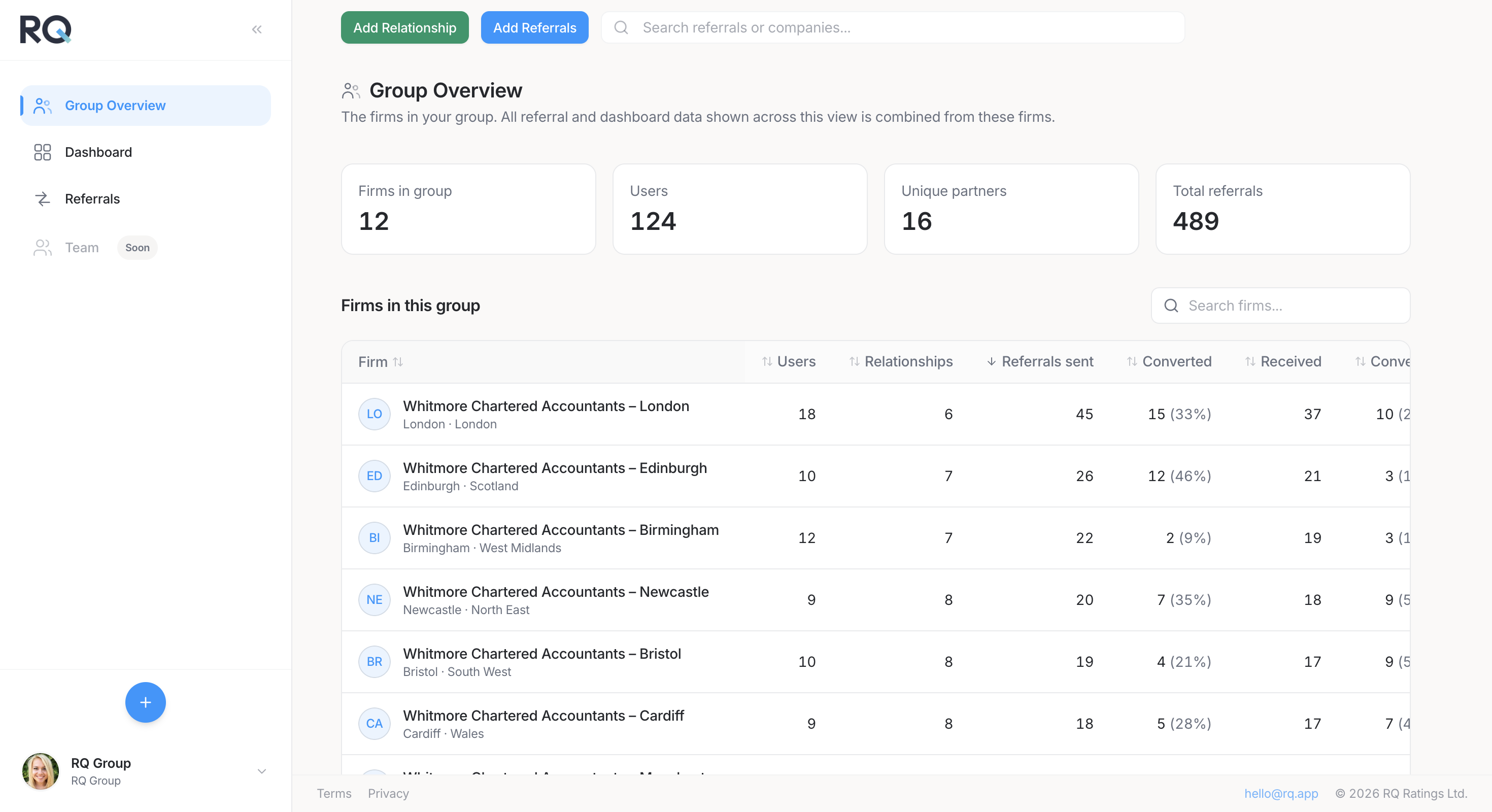
Filter the view that matters
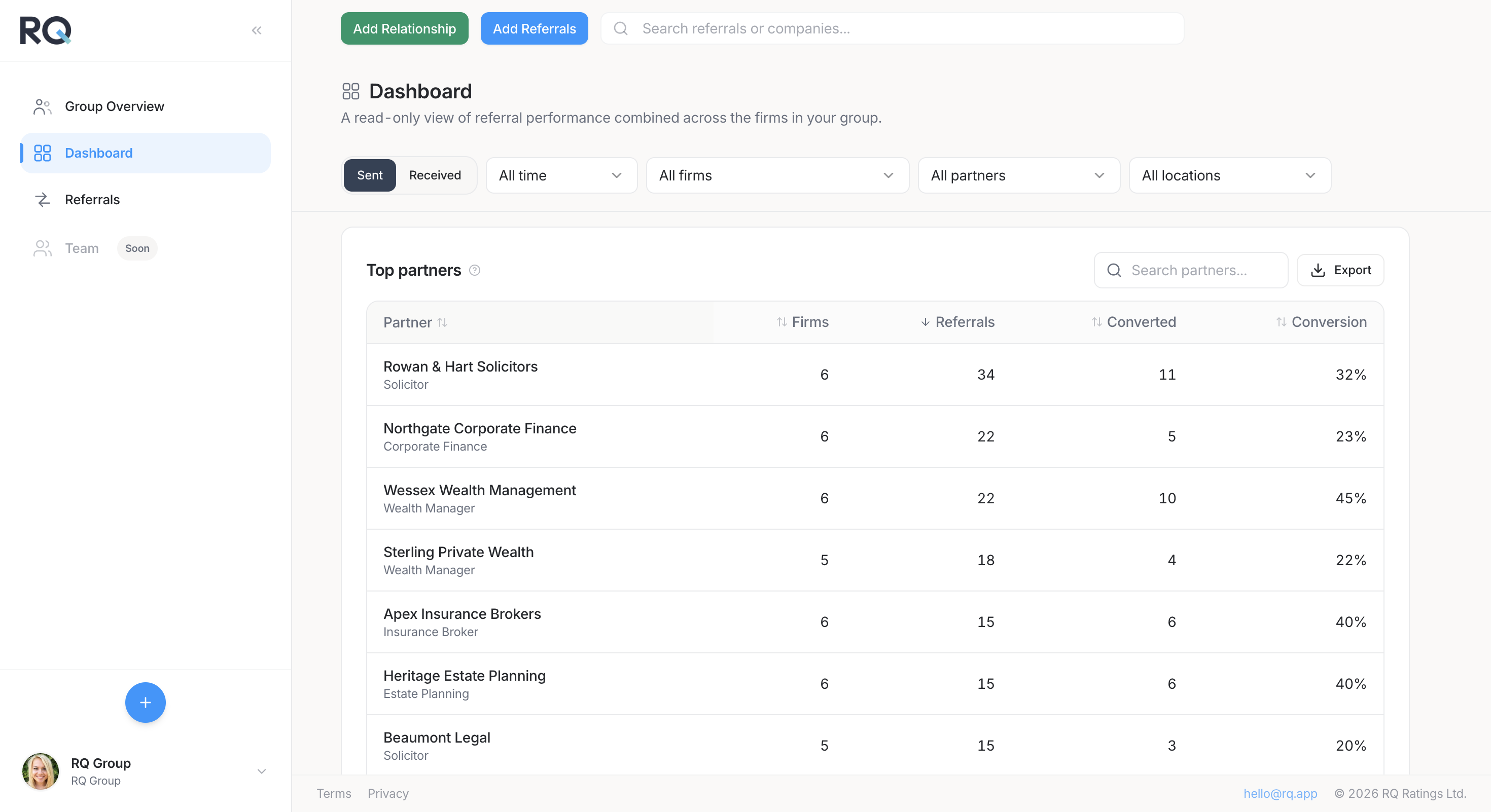
Group-level filters make it easier to focus on the question in front of you. Filter by time period, firm, partner, or location, then review the results across the group.
Understand performance by partner
The dashboard shows which partners are sending referrals, how many convert, and where relationships are strongest. Search, export, and adjust the table to get the view your leadership team needs.
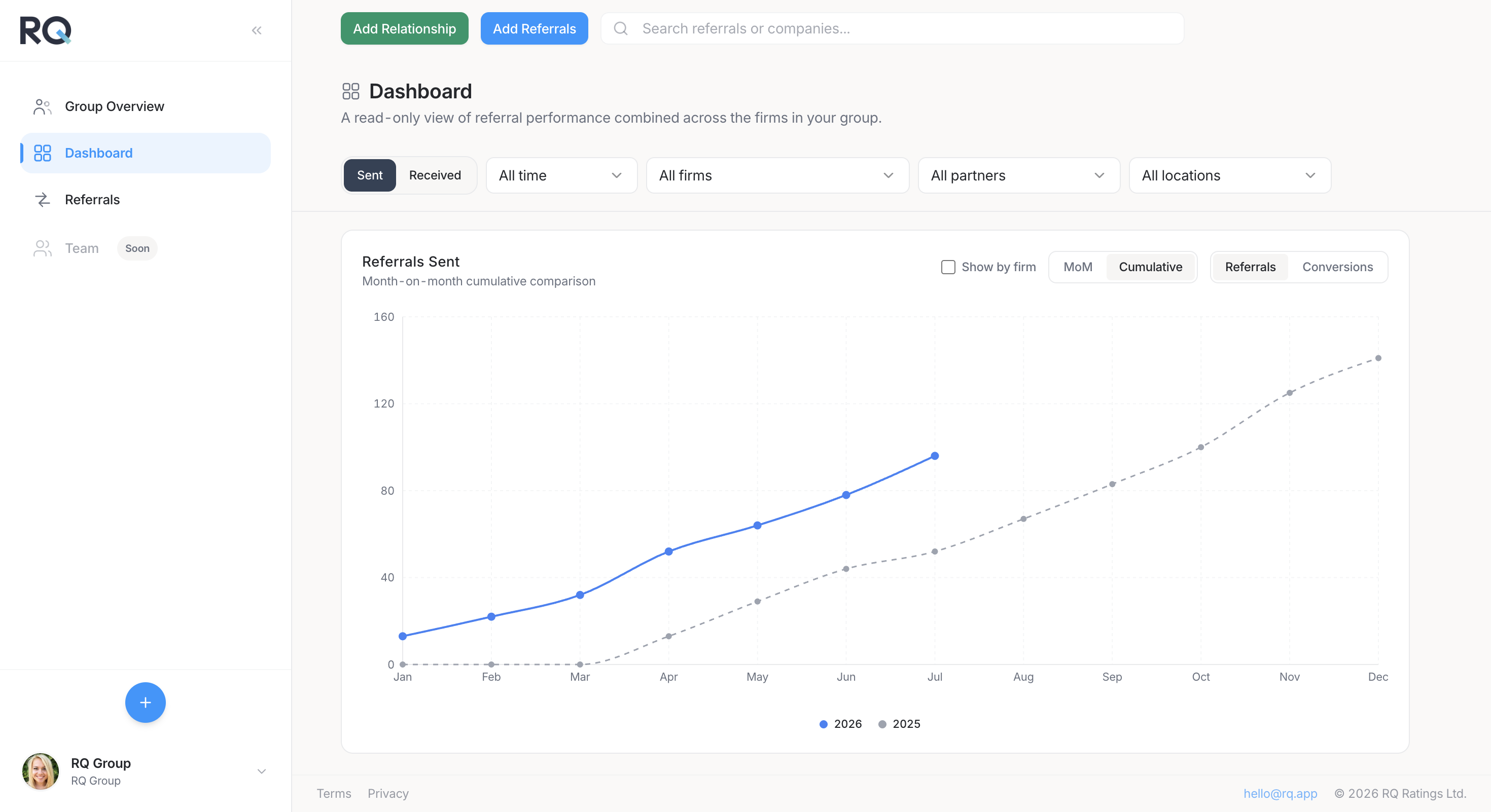
See the trend, not just the total
Month-on-month and cumulative charts show whether referral activity is building over time. Group referral funnel reporting helps you understand how referrals move through each stage, from sent to converted.
Read-only visibility for group teams
Group portal users can inspect referral cases without editing firm-level records. This gives leadership teams the context they need while keeping firm-level data and workflows under the control of the relevant teams.
Get started
If your organisation uses RQ across multiple firms, teams, or locations, speak to your account manager or contact [email protected] to enable the Group Portal.